Use the browser extension
The browser extension is the recommended way to send a single article. It captures the content loaded in your browser, including articles behind a paywall or sign-in that you already have access to. You can send the article immediately or save it to a magazine.
Install and sign in
- Open the installation page in your desktop browser and follow its store link.
- Install the extension and make it accessible from your browser's toolbar.
- Open KTool from the toolbar and sign in to your KTool account.
- Connect your Kindle before your first send.
Send articles behind a paywall or sign-in
Sign in to the publisher and open the full article first. Wait until the text and images are visible, then send it with the extension. The extension uses the loaded page, so it can send content that Quick Send cannot retrieve from the URL alone.
You need access to the article through your own account or subscription. If the page only shows a teaser or a sign-in screen, load the full article before sending.
Send the current page
- Open the article itself, rather than a site's homepage or search results.
- Wait for its text and images to load. If you have access through a subscription, sign in to the publisher first.
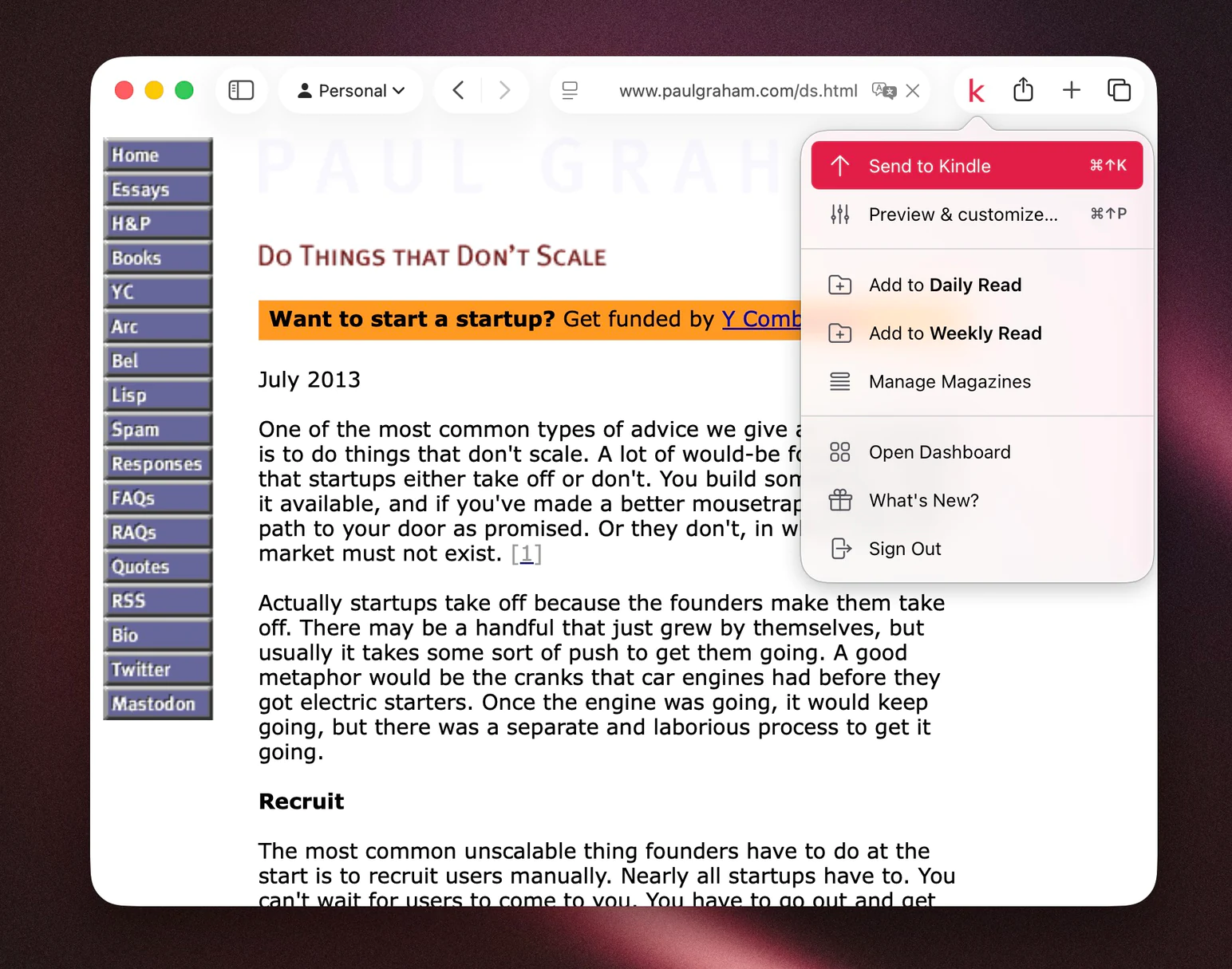
- Open the KTool extension and choose Send to Kindle.
- Wait for the confirmation. You can look for the article in History.
For a public page that does not work with the extension, you can try its URL in Quick Send. For articles behind a sign-in or paywall, use the extension on the fully loaded article; pasting the URL into Quick Send does not carry over your publisher session.
Save articles for later
Choose Add to Daily Magazine or Add to Weekly Magazine in the extension to collect articles into one document. Set the delivery time in Magazines.
To add the article you have open to a custom magazine, right-click the page and choose KTool, Custom Magazine, then your magazine. To add an unopened link, right-click the link and use KTool Magazine. For articles behind a sign-in or paywall, open and load the full article first. Create the magazine in the web app before adding articles. See custom magazines for the full workflow.
Pages that need extra care
KTool extracts readable content, so the result may differ from the website's layout. Interactive charts, embedded video, login screens, and pages with little article text may not convert well. Publisher access restrictions can also prevent extraction.
For X links, read supported content before sending.
If the extension does not respond
Reload the article after installing or updating the extension. Check that you are signed in and that the browser permits the extension to access that page. Browser settings pages and other restricted tabs cannot be treated as normal articles.