Adjust reading settings
Open General settings to choose how KTool renders articles. Start with one short article so you can compare the result on your device after a change.
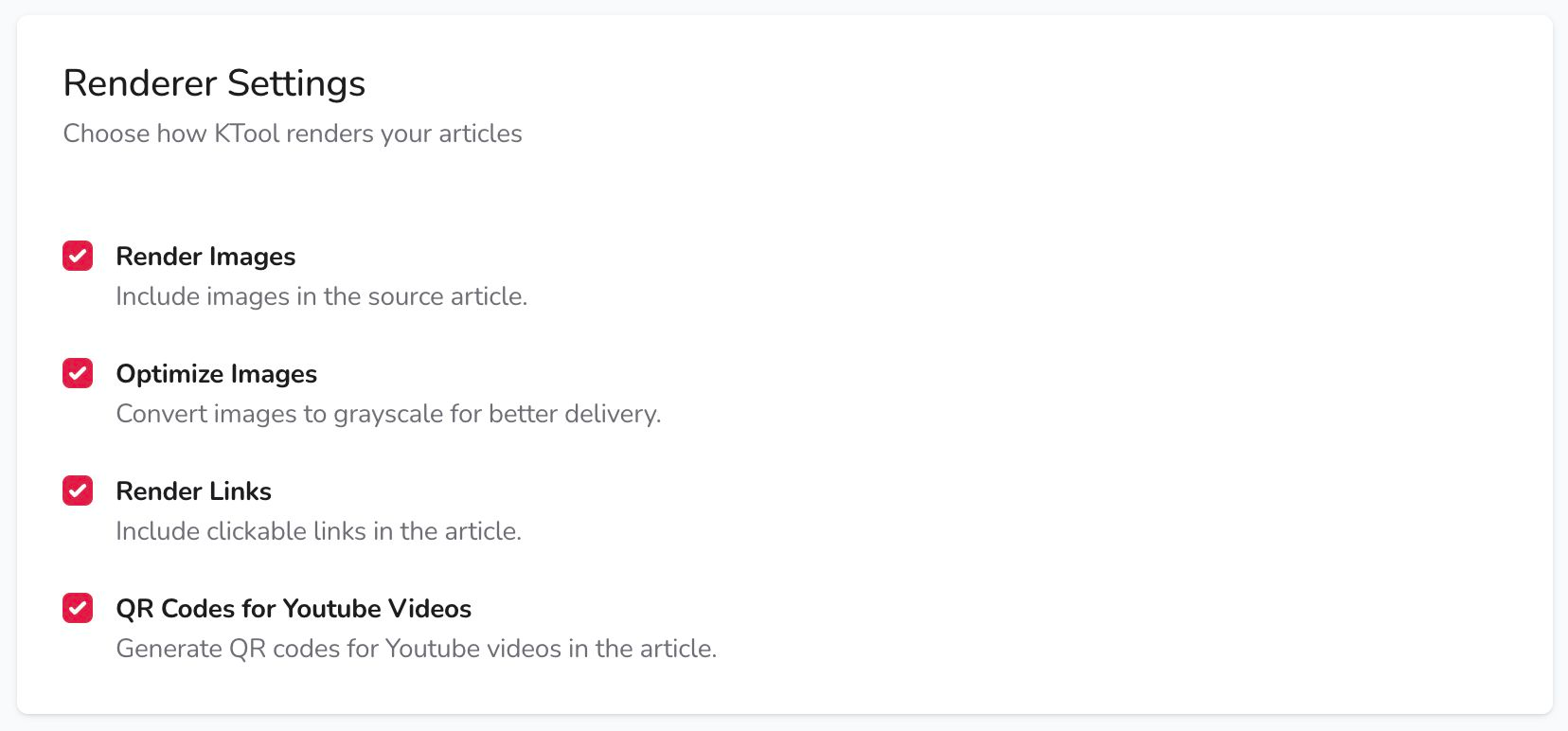
Images and color
Render Images includes images from the source article. Turn it off if you prefer text-only reading.
Optimize Images converts images to grayscale. Turn it off if you want to preserve source colors for a color-capable reader. Keep Render Images enabled as well. The source image and your device's screen still affect the final result.
Links and video QR codes
Render Links includes clickable links in the article. Opening a link depends on your reader's browser and network connection.
QR Codes for Youtube Videos adds QR codes for supported YouTube embeds. Scan a code with your phone to open the video. The video itself is not playable inside the ebook.
Check a changed setting
Send a fresh article after changing a preference. Existing documents on your Kindle do not update automatically. Previously saved or parsed content can differ from a newly processed article.
Delivery notifications
The Notification section in General settings has separate switches for Delivery Notification and Delivery Failure. The first reports delivery to Amazon's servers; it does not confirm that the document has appeared on your Kindle. Use the delivery checklist if it is still missing.
Try the alternate reading style
Feature Preview includes ADHD Reader, which emphasizes the opening letters of words. Enable it to try the appearance on a short article, or disable it to return to regular text. Choose whichever style you find easier to read.