Read email newsletters on Kindle
Forward a newsletter issue to your personal KTool inbox to read it on your Kindle. KTool extracts the email's content and sends it directly or adds it to a magazine, depending on your settings.
Find your personal inbox
Open Newsletters, choose Setup guide, and copy your personal inbox address. It ends in @inbox.ktool.io.
This inbox is different from the @ktool.io sender you approve in Amazon and from your Kindle's own email address. Copy the address from your account to avoid a typo.
Forward one issue
- Open the newsletter email you want to read.
- Choose Forward in your email app.
- Paste your personal KTool inbox address into the recipient field and send it.
- Check your chosen delivery destination in KTool.
Forward the email containing the article. A notification with only a link or an excerpt may not include the full issue. Newsletter formatting varies, so start with one issue before configuring automatic forwarding.
Choose direct or digest delivery
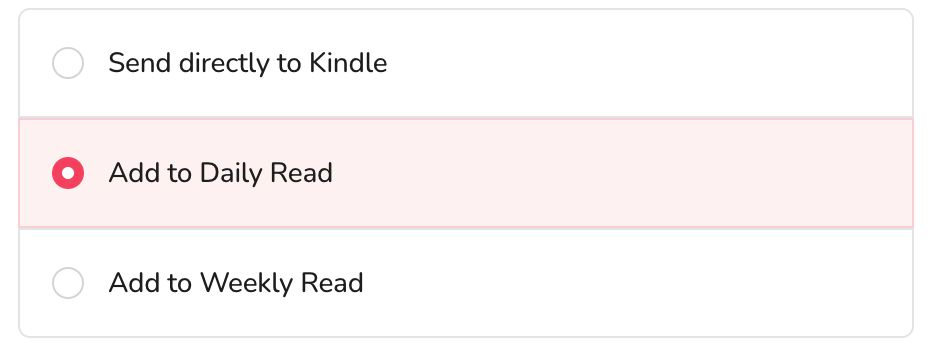
Open Newsletter settings, choose Send directly to Kindle, Add to Daily Magazine, or Add to Weekly Magazine, then save. For digest delivery, check the schedule in Magazines.
Forward future issues
Step-by-step instructions for Gmail, Outlook, Fastmail, iCloud Mail and Proton Mail are in Forward newsletters automatically.
If your email provider supports rules or filters, configure one for the specific newsletter sender and forward matching messages to your KTool inbox. Complete any forwarding verification required by your provider, then test a single issue. Avoid forwarding your entire inbox.
Keep your personal KTool inbox address private so other people cannot send unwanted content to it.
Manage your newsletters
Newsletters lists every newsletter that has sent you an issue. Select one to see its issues, or open an issue to read the email as it arrived. Show Kindle version shows what was sent to your Kindle.
For each newsletter you can:
- Choose when its issues arrive: right away, in your Daily Magazine, or in your Weekly Magazine. This overrides your account setting for that newsletter.
- Stop it. KTool no longer sends its issues to your Kindle, and you stay subscribed. Resume undoes this.
- Unsubscribe, when the newsletter offers it. KTool also tells the sender to stop emailing you, which KTool cannot undo.
- Delete it together with its issues. KTool then forgets the newsletter, a stop included, so it comes back if it emails you again.
If an issue looks wrong or is missing
Check the recipient address and whether the issue was routed into a magazine. If the forwarded email contains only a summary, open the full article and send it with the browser extension. Sign in to the publisher first if the article requires access.